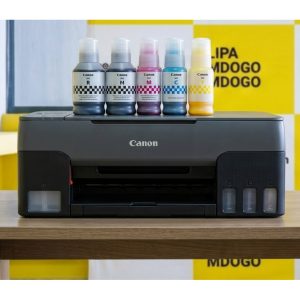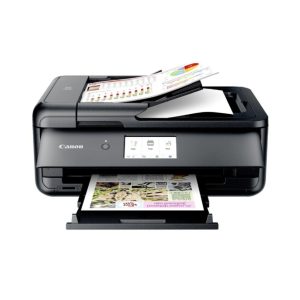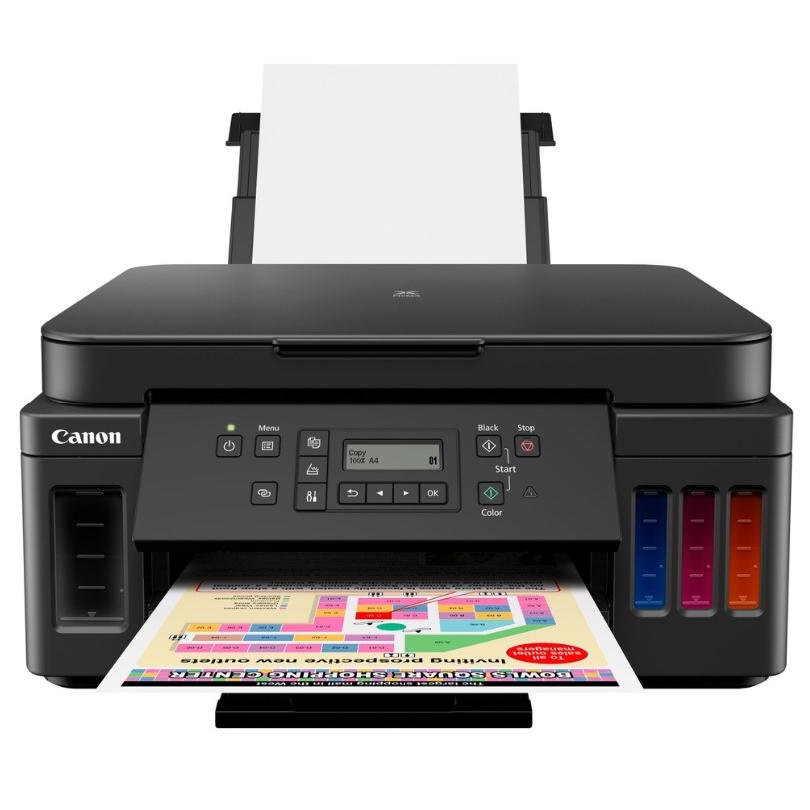
Description
General Specifications
- FunctionsWi-Fi, Ethernet, Print, Copy, Scan
Printer Specifications
- Print ResolutionUp to 4800 1 x 1200 dpi
- Print Technology2 FINE Cartridges (Black and Colour)
Refillable ink tank printer - Mono Print SpeedApprox. 13.0 ipm 2
- Colour Print SpeedApprox. 6.8 ipm 3
- Photo Print SpeedBorderless 10x15cm : Approx. 45 seconds 4
- Borderless PrintingYes A4, LTR, 4″x6″, 5″x7″, 8″x10″, Square(5″x5″,4″x4″,89x89mm)
- Two Sided PrintingAuto Duplex Print (A4, A5, B5, Letter – Plain Paper)
Cartridges and Yields
- Standard Ink CartridgesGI-40 <PGBK>
GI-40 <C>
GI-40 <M>
GI-40 <Y> - Cartridge Yield (Plain Paper)A4 colour documents printing 5
Black: 6,000 pages
Colour: 7,700 pages
* Estimated supplemental yield - Cartridge Yield (Photo)10x15cm colour photo printing 6
Colour: 2,200 photos
* Estimated supplemental yield
Paper Support
- Paper TypesPlain Paper
High Resolution Paper (HR-101N)
Photo Paper Plus Glossy II (PP-201)
Photo Paper Pro Platinum (PT-101)
Photo Paper Pro Luster (LU-101)
Photo Paper Plus Semi-gloss (SG-201)
Glossy Photo Paper “Everyday Use” (GP-501)
Matte Photo Paper (MP-101)
Envelope - Maximum Paper InputRear Tray: Max. 20 sheets (photo paper) or Max. 100 sheets (plain paper)
Cassette: Max. 250 sheets (plain paper) - Paper SizesRear Tray: A4, A5, B5, LTR, LGL, 4″x6″, 5″x7″, 7″x10″, 8″x10″,
Envelopes(DL, COM10), Square (5″ x 5″, 4″x4″,89x89mm), Card Size(91 x 55mm)
[Custom size] width 55mm – 215.9 mm, length 89mm – 676mmCassette: A4, A5, B5, LTR
[Custom size] width 148.0 mm – 215.9 mm, length 210mm – 297mm - Paper WeightRear Tray: Plain paper: 64 – 105 g/m²
Canon photo paper: up to 300 g/m² (Photo Paper Pro Platinum PT-101)Cassette: Plain paper: 64 – 105 g/m²
Scanner Specifications
- Scanner TypeCIS flatbed photo and document scanner
- Scanner Resolution (Optical)1200 x 2400 dpi 7
- Line Scanning SpeedColour: 3.5 ms/line(300dpi)
Greyscale: 1.5 ms/line(300dpi)8 - Scanning Depth (Input / Output)Colour: RGB each 16bit/8bit
Greyscale: 16 bit / 8 bit - Maximum Document SizeA4/LTR
Copier Specifications
- Copy SpeedsFCOT: Approx. 20 sec 9
sESAT: Approx. 5 sec 10 - Multiple Copy99 copies (max.)
- Copy FunctionsDocument Copying, Photo Copying, Borderless copy, 2-sided copy, 2-on-1 and 4-on-1 copy, Frame erase copy, ID copy
- Copy Zoom25 – 400% (in 1% increments)
Fit to page
A5 to A4, B5 to A4, A4 to A5 and A4 to B5
Interface
- Display Type & SizeFull Dot LCD
- Display Languages32 Languages Selectable: Japanese/English(mm & inch)/German/French/Italian/Spanish/Dutch/Portuguese/Norwegian/Swedish/Danish/Finnish/Russian/Czech/Hungarian/Polish/Slovene/Turkish/Greek/Simplified Chinese/Traditional Chinese/Korean/Indonesian/Slovakian/Estonian/Latvian/Lithuanian/Ukrainian/Romanian/Bulgarian/Croatian/Vietnamese
Connectivity
- Standard InterfaceHi-Speed USB (B Port)
Ethernet: 10/100Mbps (auto switchable)
Wi-Fi: IEEE802.11 b/g/n
Wi-Fi Security: WPA-PSK, WPA2-PSK, WEP, Administration password
Wireless LAN Frequency Band: 2.4GHz - Mobile AppsCanon PRINT Inkjet/SELPHY app
Easy-PhotoPrint Editor
Message In Print app
PIXMA Cloud Link
Canon Print Service Plugin (Android)
Apple AirPrint
Wireless Direct
Access Point Mode
LAN/WLAN PictBridge
Mopria (Android)
Software
- Supported Operating SystemsChrome OS
Windows 10, Windows 8.1, Windows 7 SP1
Operation can only be guaranteed on a PC with pre-installed Windows 7 or later.
Printer driver and IJ Network Device Setup Utility are available with following OS.
Windows Server 2008 R2 SP1、Windows Server 2012 R2、Windows Server 2016OS X 10.10.5~OS X 10.11 、macOS 10.12~macOS 10.14
- Supported Mobile SystemsiOS, Android, Windows 10 Mobile
- Minimum System RequirementsWindows: 2.0GB or more
Mac: 1.0GB or more
Note: for bundled software installation. The necessary amount of hard disk space required.
Display: 1024 x 768 XGA - Software IncludedMP Driver
IJ Printer Assistant Tool
Easy-PhotoPrint Editor (download)
Physical Features
- Weightapprox. 8.1kg
- Dimensions (W x D x H)approx. 403 x 369 x 195 mm
- Acoustic Noise Levelsapprox. 50.5dB(A) 11
- Power SourceAC 100-240V, 50/60Hz
- Power ConsumptionOff: Approx. 0.3W
Standby (connected to PC via USB): Approx. 0.8W (scanning lamp off)
Standby (all ports connected): Approx. 1.7W (scanning lamp is off)
Time to enter Standby mode: 11min 10sec
Copying (USB connection to PC): Approx. 15W 12 - Typical Electricity Consumption0.14kWh 13
All specifications subject to change without notice.
Print speed may vary depending on system configuration, interface, software, document complexity, print mode, page coverage, type of paper used etc.
Ink yield may vary depending on texts/photos printed, applications software used, print mode and type of paper used. For yield information see www.canon-europe.com/ink/yield
Scan speed may vary depending on system configuration, interface, software, scan mode settings and document size etc.
Copy speed may vary depending on document complexity, copy mode, page coverage, type of paper used etc. and does not take into account warming up time.
All brand and product names are trademarks of their respective companies.
Microsoft, Windows and the Windows logo are trademarks, or registered trademarks of Microsoft Corporation in the United States and/or other countries.
* Page yield of ink bottle used for initial setup is lower than a replacement as a certain amount of ink is used to fill the print head during setup. Page yield is the estimated value based on Canon’s individual test method using the ISO/IEC 24712 colour chart and continuous printing simulation with the replacement ink bottles after initial setup.
Black and colour page yields are not to be combined.
Page yield varies significantly depending on contents printed and other factors.
** Measured by international standard, in default mode. During successive printing, the printer may slow down the operation to prevent the internal temperature from rising.
- Ink droplets can be placed with a minimum pitch of 1/4800 inch
- A4 document print speed on plain paper is measured based on average of ESAT in Office Category Test of ISO/IEC 24734 standard.
- A4 document print speed on plain paper is measured based on average of ESAT in Office Category Test of ISO/IEC 24734 standard.
- Photo print speed is based on default driver setting using ISO/JIS-SCID N2 standard on Canon Photo Paper Plus Glossy II and does not take into account data processing time on host computer.
- Page Yield is the estimated value based on Canon individual test method using the ISO/IEC 24712 chart and continuous printing simulation with the replacement ink bottles after initial setup.
- Page Yield is the estimated value based on Canon individual test method using the ISO/IEC 29103 chart and continuous printing simulation with the replacement ink bottles after initial setup.
- Optical resolution is a measure of maximum hardware sampling resolution based on ISO 14473 standard. When scanning in high resolution, the maximum scan size is restricted.
- The fastest speed in Hi-Speed USB on Windows PC. Transfer time to computer is not included.
- Colour document copy speed is measured based on average of sFCOT and sESAT in Performance Test of ISO/IEC 29183 standard. Copy speed may vary depending on document complexity, copy mode, page coverage, type of paper used etc. and does not take into account warming up time.
- Colour document copy speed is measured based on average of sFCOT and sESAT in Performance Test of ISO/IEC 29183 standard. Copy speed may vary depending on document complexity, copy mode, page coverage, type of paper used etc. and does not take into account warming up time.
- Plain Paper(A4, B/W). Acoustic Noise is measured based on ISO7779 standard.
- Copy: When copying ISO/JIS-SCID N2 (printed by inkjet printer) on A4 size plain paper using default settings.
- Typical Electricity Consumption (TEC) value: TEC value was calculated assuming the unit will be constantly switched among operational mode, sleep mode, and power-off mode for 5 days, and that it will be either in sleep or power-off mode for the remaining 2 days within the same week. The TEC value of this product is calculated by Canon on their own accord using TEC measurement procedure regulated in International ENERGY STAR Program.